Engineering with Figma
What is Figma and why does SKN IT use it?
Figma is the 'Google Docs of the Design World'—a live, collaborative space where we build your brand, websites, and apps while you watch and participate in real-time.

Why Figma matters.
Gone are the days of sending huge files back and forth via email. Figma is a live digital workshop where our designers, your marketing team, and our developers work together on the same canvas. It ensures that your vision is perfectly captured and that every pixel of your brand is consistent across every screen.
Why SKN IT chooses Figma
Core Benefits
Live Collaboration
Your marketing team can join the design room and leave feedback instantly.
Interactive Mockups
Click through your website before it's even built to ensure the customer journey is perfect.
Instant Developer Handoff
Your site is built faster because our developers have direct access to the design's 'blueprint' data.
Brand Consistency
We create one single source of truth for your logos, fonts, and colors to ensure your brand never looks messy.
Featured Figma Projects
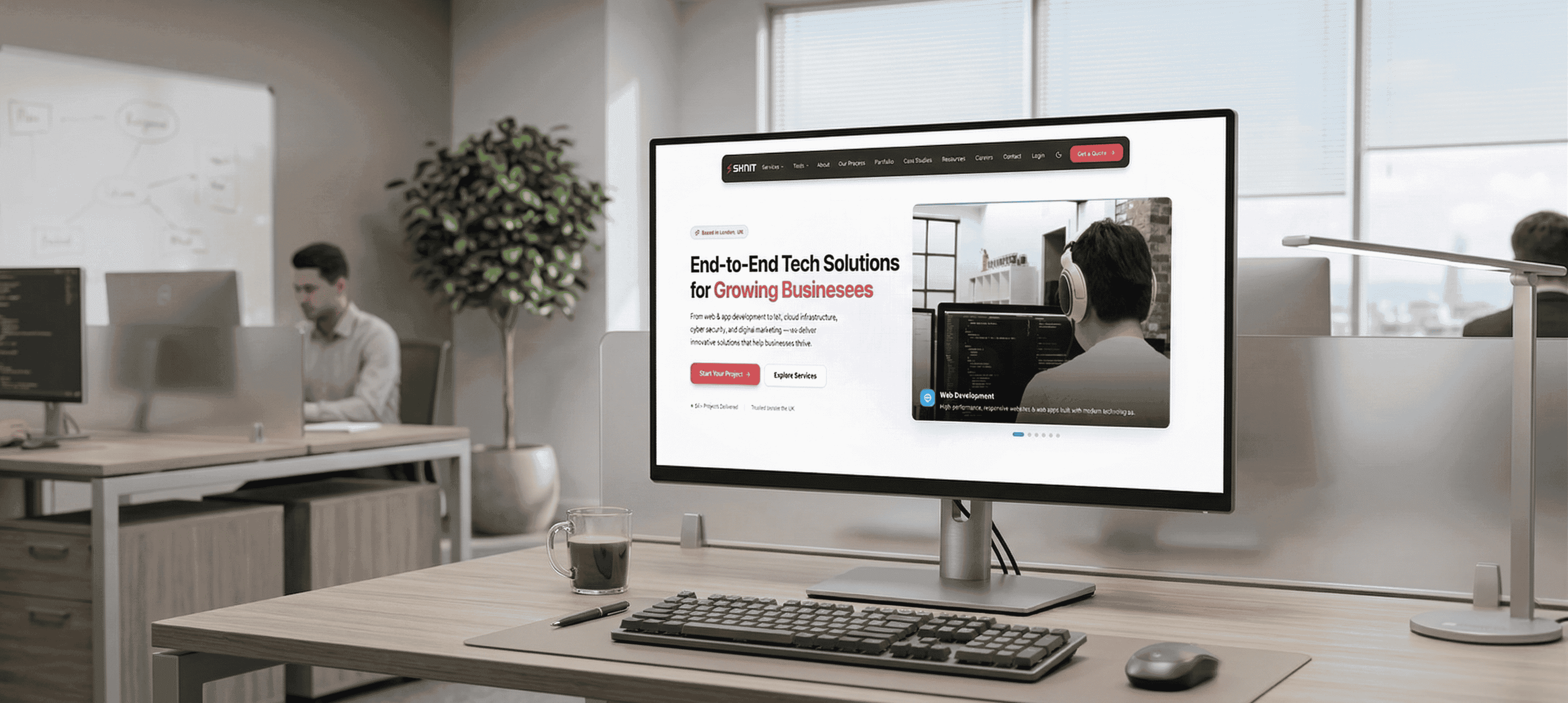
sknit redesign
A complete visual and functional overhaul of the SKN IT digital presence, utilizing Figma to align global stakeholders and developers.
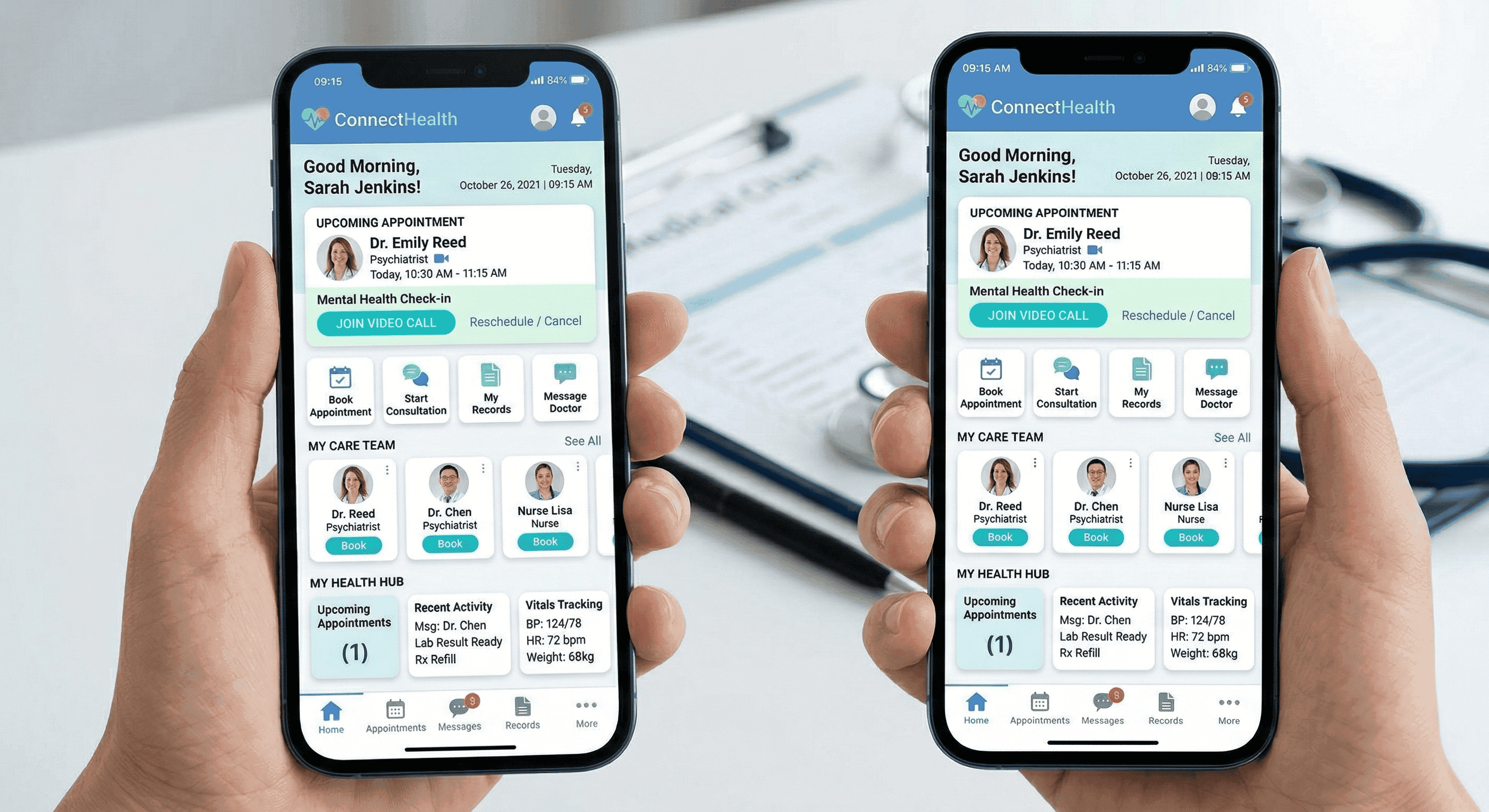
vitals telehealth app
End-to-end design for a national telehealth platform, featuring high-fidelity prototypes for both patient and doctor interfaces.
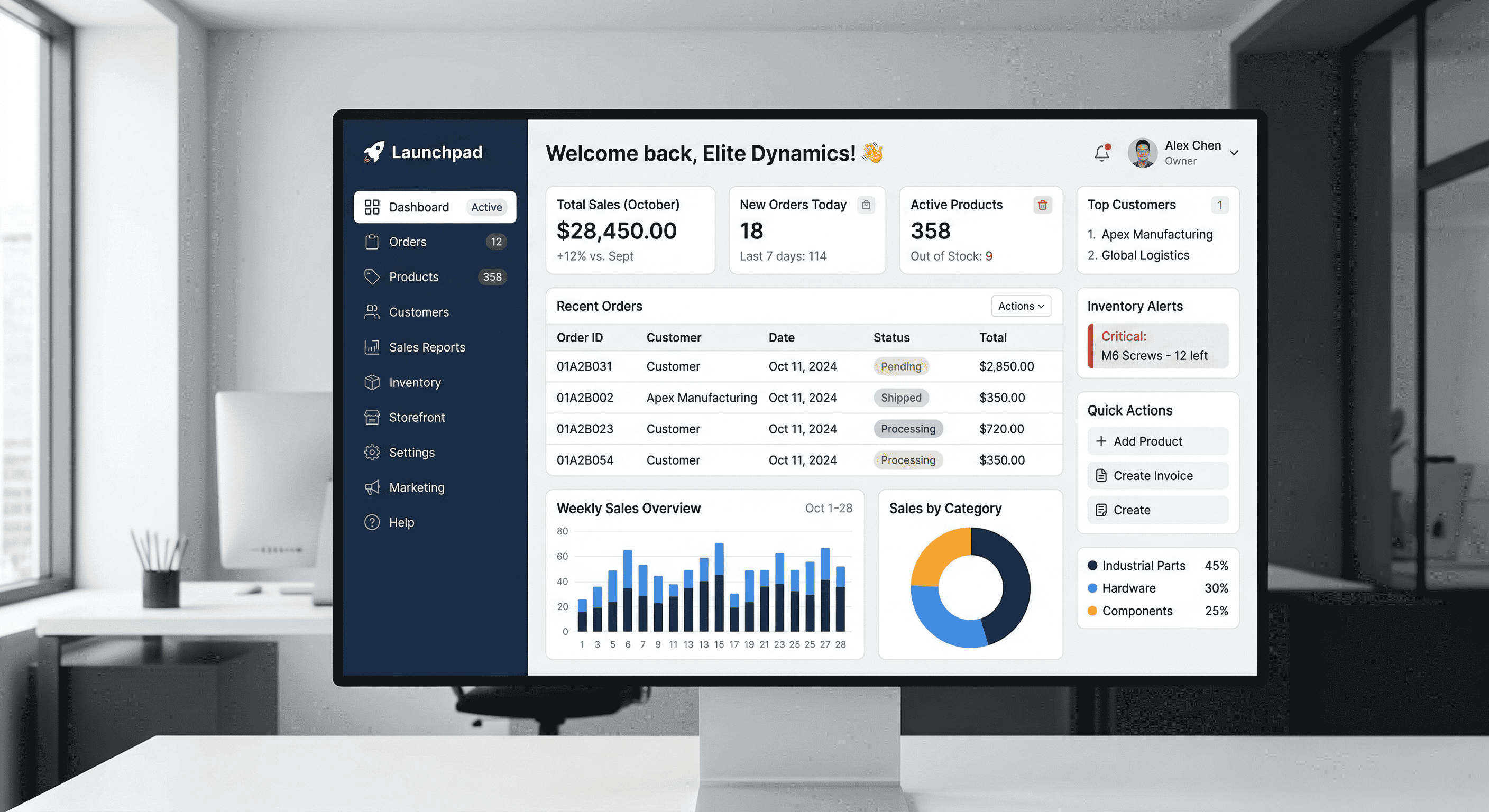
saas launchpad
Rapid conversion-centric prototyping for a B2B startup, moving from wireframes to high-fidelity designs in 72 hours.
Tech Stack Comparisons
Understanding when Figma is the right choice for your architecture.
| Strategic Category | Figma (The Modern Standard) | Adobe XD (The Traditional Tool) |
|---|---|---|
| Team Collaboration | Live & Multiplayer: Like Google Docs, everyone works together in one file simultaneously. | File-Based: Designers often have to 'save and send' files, creating delays and version confusion. |
| Client Transparency | Open Kitchen: You can log in anytime to see progress, leave comments, and participate live. | Waiting Game: You typically have to wait for the designer to export and email you a PDF or link. |
| Marketing Speed | Instant Iteration: We can test and tweak ad banners and landing pages in minutes based on data. | Slower Cycles: Making a small change often requires re-exporting and re-uploading entire files. |
| Technical Handoff | Direct to Code: Developers can pull exact code snippets, making the final site 100% accurate to the design. | Manual Extraction: Developers often have to 'eye-ball' measurements, leading to visual inconsistencies. |
| Business Verdict | Winner for High-Growth Teams: Best for collaboration, speed, and long-term brand management. | Legacy Choice: Best only if you are already heavily locked into the older Adobe ecosystem. |
Common Questions
Technical and business considerations for Figma projects.
Do I need to install any software to see the designs?
No! Figma runs in any web browser. We will send you a link, and you can see the latest designs instantly without downloading a single file.
How does Figma save me money on development?
Because our developers can see the exact measurements and code snippets behind the design, they spend less time guessing and more time building. This significantly reduces 'rework' and debugging costs.
Can we test the website on our phones before launch?
Yes. Figma has a 'Mirror' feature that allows you to open a prototype on your smartphone. You can tap buttons and navigate menus just like a real app to ensure the mobile experience is buttery smooth.
What happens if we want to change a color or font later?
Since we use a unified 'Design System' in Figma, we can update a color in one profile and it will automatically update across every page of your design. This makes future brand tweaks incredibly fast and affordable.


Have a Project in Mind?
Let's discuss how we can help you achieve your goals. Book a free consultation call with our team and get a no-obligation project estimate within 48 hours.