Engineering with Swift
What is Swift and why does SKN IT use it?
Swift is Apple's own 'luxury' coding language, designed to build the fastest, most secure, and most premium apps for iPhone and iPad.

Why Swift matters.
Think of Swift as custom-tailored clothing for your iPhone app. Because it is built by Apple for Apple, it has deep access to every feature of the phone—from the FaceID sensor to the latest camera updates. It ensures your app isn't just 'good,' but 'buttery-smooth' and world-class in its performance.
Why SKN IT chooses Swift
Core Benefits
Premium Performance
Custom-built for Apple's silicon processors, making your app significantly faster than cross-platform versions.
Buttery-Smooth Experience
Access to the most advanced animations and gestures that make an app feel expensive and high-quality.
Day-Zero Support
We can implement the latest iPhone features (like new Dynamic Island or AR updates) the very day they are released.
Legacy Stability
Native apps are less likely to crash or break during iOS updates, protecting your business from sudden technical errors.
Featured Swift Projects
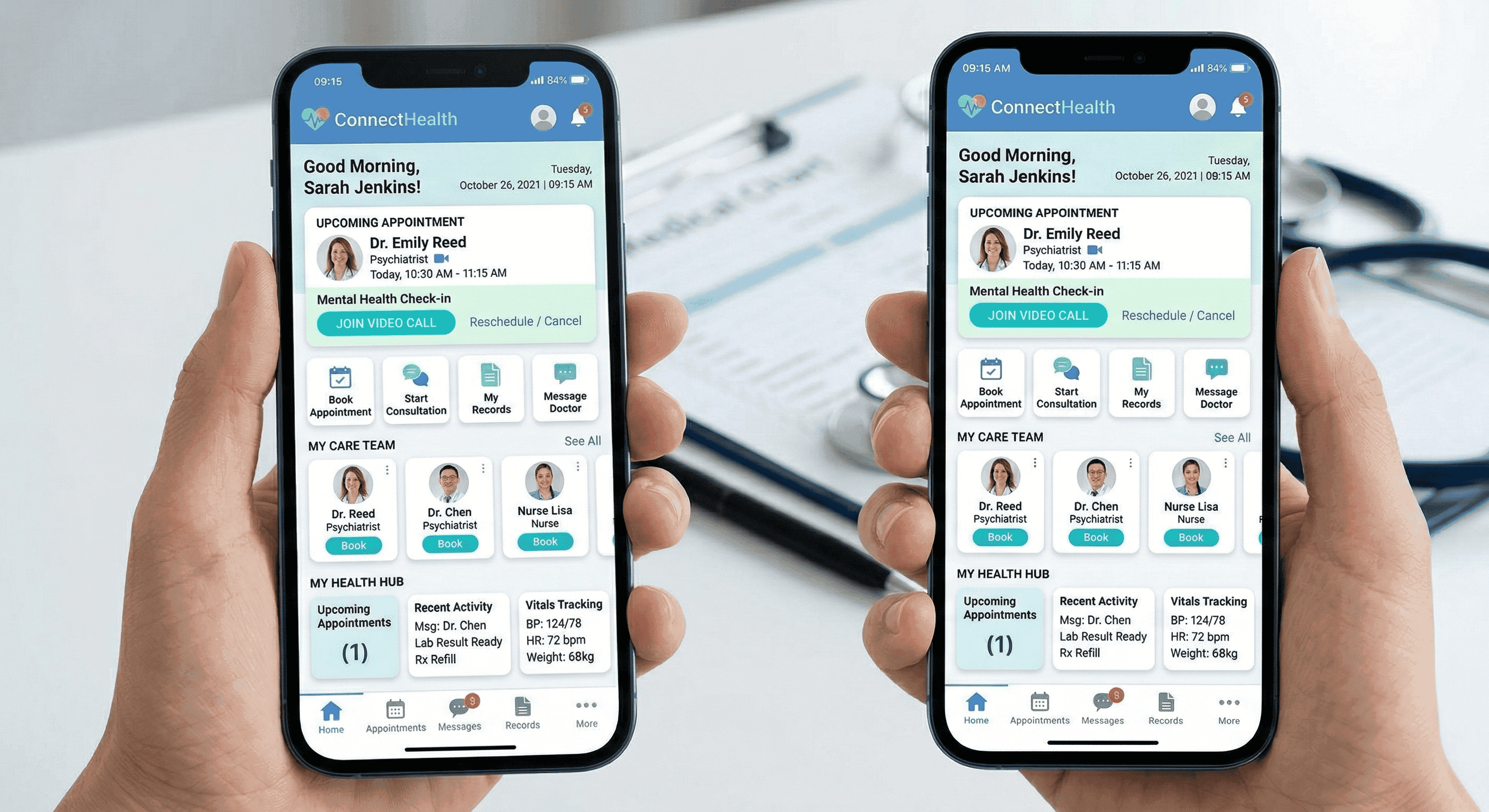
vitals telehealth app
A premium iOS healthcare application built with Swift, featuring real-time biometric synchronization and secure patient record management.
Production Synergy Strategy
How Swift integrates into a high-performance production architecture.
| Strategic Priority | Native Choice (Swift/Kotlin) | Cross-Platform Choice (Frameworks) |
|---|---|---|
| Primary Benefit | Premium Quality: Best for 'High-Stakes' apps (Fintech, Health) where speed and reliability are non-negotiable. | Speed to Market: Best for startups needing to launch on both platforms simultaneously with a tighter budget. |
| User Experience | Custom-Tailored: Feels like a luxury product with ultra-smooth animations and deep hardware integration. | Highly Consistent: Looks and works largely the same on both platforms, but can sometimes feel a bit 'generic.' |
| Hardware Access | Day-Zero Access: Instant use of new phone features like FaceID, Apple Vision, or advanced Cameras. | The Waiting Period: Requires 'bridge' updates before the latest phone features can be fully utilized. |
| Long-Term Value | Technical Longevity: Native apps stay fast and secure for decades with much less maintenance work. | Unified Maintenance: One single codebase to update, though complex features may require extra 'tweaking.' |
| When to Choose | Choose Native for performance-heavy, hardware-focused, or premium-brand mobile experiences. | Choose Cross-platform for content apps, internal business tools, or rapid concept validation. |
Common Questions
Technical and business considerations for Swift projects.
Is Swift better than building a cross-platform app?
For performance and user experience, yes. If you want your app to feel like a high-end product and handle complex features, native Swift is superior. If you need a simple app for both iOS and Android on a budget, we may recommend other options.
Why do native apps crash less often?
Swift is 'type-safe,' which is a fancy way of saying it catches common human errors before the app is even finished. This prevents 'Null Pointer' errors—the number one cause of app crashes—from ever reaching your users.
How does native development save us money in the long run?
While native development can cost more at the start, native apps are much more stable. You will spend significantly less on maintenance, debugging, and 'emergency fixes' over the next 5 years compared to a cross-platform app.
Do I need an Apple computer to see the progress?
Not at all. We provide cloud-based testing links that allow you to install the 'beta' versions of your app on your iPhone instantly, so you can track our progress from your own device.



Have a Project in Mind?
Let's discuss how we can help you achieve your goals. Book a free consultation call with our team and get a no-obligation project estimate within 48 hours.